5 Best Ways to Integrate Diagnostic Devices with Hospital IT?

Time:2026-10-20 Author:Liam
0%

Connecting diagnostic devices to hospital software is not merely an engineering upgrade. It changes how images, measurements, alerts, and clinical decisions move through a hospital.

The practical question is, “How to integrate diagnostic equipment with hospital software?” The answer begins with workflow, not hardware. A blood analyzer may produce accurate results, yet delays can occur when interfaces use inconsistent patient identifiers. A radiology workstation may support DICOM, but reports still need reliable links with the electronic health record. These small gaps can affect care.

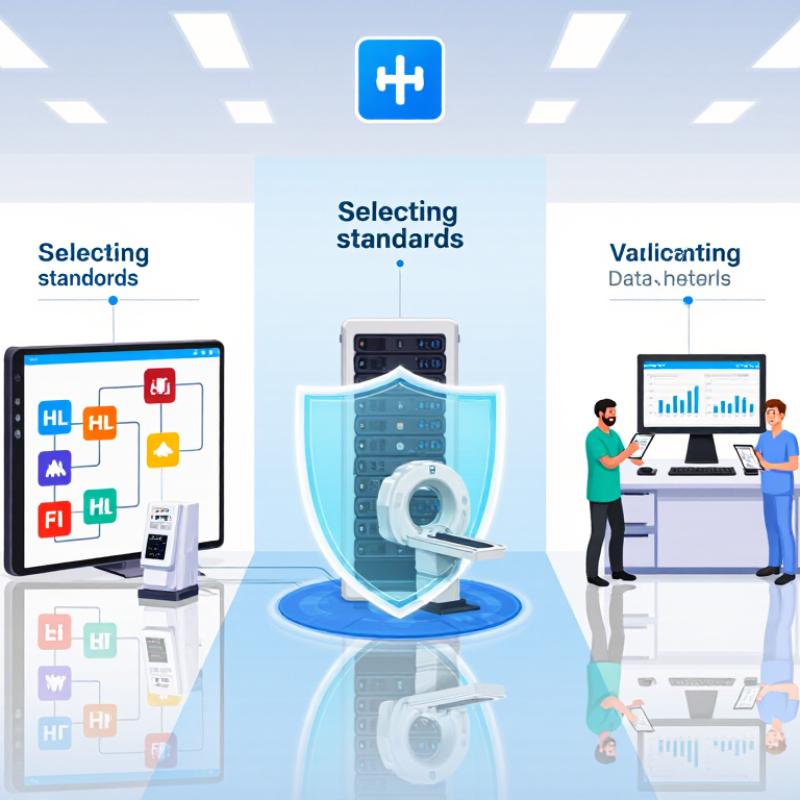
John Halamka, a physician and healthcare technology leader, has often described interoperability as “a journey, not a destination.” That view matters here. Successful integration requires five connected practices: mapping clinical workflows, selecting standards such as HL7 and FHIR, securing device interfaces, validating data at every handoff, and monitoring performance after launch. Each step deserves clinical and technical review.

Real projects are rarely perfect. An older device may lack modern APIs. A vendor interface may document only part of its behavior. Staff may also bypass a new workflow when it feels slow. These problems are uncomfortable, but they reveal where integration design must improve. Strong teams test with real sample data, confirm timestamps, inspect audit trails, and involve nurses, physicians, biomedical engineers, and IT specialists. The best approach is careful, measurable, and patient-centered. Mistakes should become evidence for refinement, not reasons to abandon interoperability.
5 Best Ways to Integrate Diagnostic Devices with Hospital IT?

Inventory Devices and Data Flows Against HL7, FHIR, and DICOM Standards

5 Best Ways to Integrate Diagnostic Devices with Hospital IT

Inventory every device before connecting it. Record its model, location, software version, owner, output format, and network route. Include monitors, scanners, analyzers, and mobile carts. A spreadsheet is useful, but it becomes outdated quickly. That weakness needs attention. The 2023 ONC Health IT Data Brief reported that 70% of hospitals engaged in all four interoperability domains, showing progress but not universal integration.

Map each data flow against HL7, FHIR, and DICOM. HL7 commonly carries orders and results. FHIR supports modern application programming interfaces and structured clinical resources. DICOM preserves imaging files, metadata, and study relationships. Document the path from bedside device to interface engine, electronic record, archive, and clinician screen. Small gaps matter. A missing patient identifier can create duplicate records or delay review.

Use validation tests before production deployment. Send realistic samples, including corrected results, canceled orders, urgent values, and poor-quality images. Check timestamps, units, patient matching, acknowledgments, and error messages. The 2024 OECD report on digital health highlights interoperability as a continuing measurement challenge across health systems. Hospitals should therefore monitor rejected messages, delayed results, interface downtime, and manual re-entry rates. Review logs with nurses, laboratory staff, radiographers, and biomedical engineers. Technical teams may believe the workflow is complete. Frontline users often find the missing step.

5 Best Ways to Integrate Diagnostic Devices with Hospital IT

Use a standards-based integration strategy: inventory devices, map data flows, validate messages, separate imaging from clinical data, and monitor interface quality.

Chart context: The bars show representative standard artifacts used in diagnostic workflows, not market-share or vendor-performance scores. HL7 v2 examples include ADT, ORM, and ORU messages; FHIR examples include Patient, Device, ServiceRequest, Observation, and DiagnosticReport resources; DICOM examples include Modality Worklist, Storage, Query/Retrieve, and Modality Performed Procedure Step.

  • Inventory devices: Maintain device identity, modality type, location, ownership, and connection status.
  • Map data flows: Document orders, worklists, observations, reports, and image transfers from source to destination.
  • Use the right standard: Apply HL7 v2 or FHIR for clinical and workflow data, and DICOM for medical images and imaging procedures.
  • Validate data quality: Check patient identifiers, accession numbers, timestamps, units, coding systems, and required fields.
  • Monitor continuously: Track message latency, rejected transactions, missing results, failed image transfers, and interface availability.

Build an Interface Layer with IHE Profiles and DICOM Modality Worklist

5 Best Ways to Integrate Diagnostic Devices with Hospital IT

A strong interface layer can connect diagnostic devices with hospital IT systems without forcing every device to speak the same language. IHE profiles provide tested workflows for patient identification, scheduling, and result exchange. DICOM Modality Worklist sends verified patient and study details directly to the device console. This reduces manual entry and lowers the risk of mismatched records.

In practice, integration teams should map each workflow before configuring interfaces. A patient may be registered at admission, scheduled later, and scanned in another department. The interface must preserve identifiers across every step. It should also handle canceled exams, corrected demographics, and temporary network failures. These details are easy to overlook. Testing only the successful workflow is not enough. We learned that a missing acknowledgment can create silent delays, even when images appear correctly. Audit logs, message queues, and clear error alerts help technical staff investigate problems quickly.

Tips: Start with one modality and one IHE workflow. Validate DICOM Modality Worklist responses using realistic patient scenarios. Check character encoding, time zones, accession numbers, and duplicate orders. Keep a human review step during early deployment. Automation is valuable, but assumptions can become expensive. Review interface performance regularly with radiographers, administrators, and IT engineers. Their practical feedback often reveals gaps that technical testing misses.

Secure Every Connection After IBM’s 2024 $9.77M Healthcare Breach Finding

5 Best Ways to Integrate Diagnostic Devices with Hospital IT

A 2024 healthcare breach-cost report estimated the average incident at $9.77 million. That figure makes every device connection a financial decision, not merely a technical task. Hospitals should standardize data exchange, isolate diagnostic networks, and require mutual authentication for every device. Encryption must protect results while moving and while stored. These controls reduce exposure when an older scanner cannot receive modern updates.

Identity management also matters. Give each device a unique certificate, limited permissions, and a visible owner. Monitor unusual traffic, failed logins, and unexpected firmware changes. A 2024 breach investigations report found that human involvement remained present in most breaches. Staff training must therefore cover technicians, clinicians, contractors, and night-shift teams. One shared password can undo excellent architecture. I have seen teams trust a device because it sits inside the hospital, which is a dangerous assumption.

Tips: Keep an accurate device inventory, including model, location, software version, and support status. Test segmentation with a harmless simulated connection. Review vendor access monthly. Store logs centrally, and alert on silent devices. Back up configurations before updates, then test restoration. The 2024 breach-cost report also showed that faster detection and response can reduce losses, yet many plans remain theoretical. Run a short tabletop exercise around a disconnected imaging device. Note what fails. Fix one weakness immediately. Perfect integration is unlikely, but measurable improvement is realistic.

5 Best Ways to Integrate Diagnostic Devices with Hospital IT? - Secure Every Connection After IBM’s 2024 $9.77M Healthcare Breach Finding

Integration Method Primary Standard or Protocol Security Controls Recommended Implementation Validation Measures Main Risk Reduced
1. Use a standards-based interface layer HL7 Version 2 for event messages; FHIR R4 for modern resource-based exchange Mutual authentication, certificate management, message integrity checks, and least-privilege service accounts Route laboratory, monitoring, and device observations through a managed interface engine instead of creating direct point-to-point connections Test message conformance, patient-identity matching, duplicate prevention, and failed-message reconciliation Inconsistent data formats, duplicate records, and uncontrolled interfaces
2. Protect imaging workflows end to end DICOM for medical images and DICOMweb for web-based image services TLS encryption in transit, encrypted storage, access logging, role-based permissions, and secure de-identification for research copies Place imaging devices and archives behind controlled gateways; permit only documented modalities, destinations, and service ports Review DICOM association logs, verify audit trails, scan for exposed services, and test restoration of encrypted image backups Unauthorized image access, exposed metadata, and lateral network movement
3. Segment diagnostic devices from general networks VLANs, firewalls, access-control lists, and zero-trust network principles Default-deny rules, allowlisted destinations, network access control, and continuous monitoring of east-west traffic Create separate zones for devices, integration services, clinical applications, administration, and guest access; permit only required flows Maintain a current connection inventory, review firewall rules regularly, and perform segmentation and penetration tests Ransomware propagation, unauthorized remote access, and device-to-device compromise
4. Centralize identity and authorization OAuth 2.0, OpenID Connect, SAML 2.0, and directory-based role management Multi-factor authentication, unique user IDs, short-lived tokens, privileged-access controls, and automated account removal Integrate clinical applications and administrative consoles with centralized identity services; prohibit shared credentials Measure dormant-account removal, privileged-access reviews, failed-login alerts, and completion of access recertification Credential theft, excessive privileges, and weak accountability
5. Continuously monitor and update connected devices Centralized security logging, vulnerability-management workflows, and time-synchronized audit records Endpoint detection, intrusion monitoring, tamper-resistant logs, secure configuration baselines, and documented patch-risk decisions Maintain an accurate asset inventory with device owner, location, software version, network address, support status, and approved communication paths Track inventory coverage, critical vulnerability age, alert triage time, backup recovery tests, and incident-response exercises Unnoticed compromise, unsupported software, delayed detection, and incomplete recovery

Reference framework: The table aligns with widely used healthcare interoperability and cybersecurity practices, including HL7 Version 2, FHIR R4, DICOM, DICOMweb, TLS, OAuth 2.0, role-based access control, network segmentation, audit logging, and vulnerability management.

Validate Results with NIST Controls, Patient Matching, and Audit Trails

5 Best Ways to Integrate Diagnostic Devices with Hospital IT

Validate Results with NIST Controls, Patient Matching, and Audit Trails

Diagnostic integration should validate results before they reach the patient record. Apply NIST SP 800-53 Rev. 5 controls, including IA-2 for authentication and AU-2 and AU-12 for event logging. Record the device identity, operator, specimen time, result status, and interface response. A plain result is not enough.

Patient matching needs more than a name. Use two approved identifiers, such as medical record number and date of birth. Add device location, collection time, and specimen type when available. Reject mismatches instead of silently creating new records. That pause may frustrate staff. It can also prevent a dangerous transcription error. The 2024 Healthcare Data Breach Report recorded 725 large breaches and over 133 million affected individuals, showing why controlled interfaces matter.

Tips: Test normal, delayed, duplicated, and corrected results. Preserve the original value and every amendment. Review audit trails weekly for unusual access, repeated failures, or unexplained overrides. NIST recommends protecting data in transit, so encrypt device-to-system connections and rotate credentials. In practice, teams often overtrust automated matching. That is a weakness. Independent review still matters, especially when names, dates, or specimens conflict.

Scale with KPIs: Uptime, Latency, Error Rate, and 725 HHS Breaches in 2023

Hospital diagnostic integration should be measured, not guessed. Five practical moves matter: standardize interfaces, map patient identities, secure data in transit, monitor workflows, and rehearse downtime procedures. Each device should send results through a controlled interface, with timestamps and clear ownership.

Uptime shows whether clinicians can depend on a device during busy shifts. Latency reveals delays between testing and clinical action. Error rate exposes rejected messages, missing values, and mismatched records. These metrics need daily dashboards and monthly review. In 2023, 725 healthcare breaches were reported to the U.S. Department of Health and Human Services. That figure makes access controls and audit trails operational priorities, not paperwork. Our first dashboard looked impressive but missed identity errors. That mistake was expensive in time, though not in patient harm.

Tips: Set separate targets for critical and routine devices. Track the slowest connection, not only the average. Alert teams after repeated failures. Test backup workflows with real timestamps and simulated results. Limit access by role, and review inactive accounts. Ask whether every alert requires action. Some do not. Remove noisy alerts before staff stop trusting the system. Record the cause, response time, and corrective owner for every incident. Small gaps remain possible, especially during upgrades, so review assumptions after each change.

FAQS

What does an interface layer do in diagnostic integration?

It connects diagnostic devices with hospital systems. Devices can exchange data without using identical software. This reduces repeated manual entry.

How does a worklist improve patient identification?

It sends verified patient and study details to the device console. Staff select the correct exam instead of typing everything again. Fewer keystrokes help.

Which workflows should teams map before configuration?

Map registration, scheduling, scanning, results, cancellations, and corrected demographics. Follow one patient across departments. Preserve identifiers at every step.

Why is testing only successful workflows risky?

Real systems face duplicate orders, canceled exams, and network outages. A missing acknowledgment can cause silent delays. Images may still appear correctly.

What technical controls help investigate integration failures?

Use audit logs, message queues, timestamps, and clear error alerts. Record the failed message and responsible owner. Keep evidence visible.

How should a hospital begin a new integration project?

Start with one device and one workflow. Use realistic patient scenarios. Check encoding, time zones, accession numbers, and duplicate orders.

Which performance measures matter most?

Track uptime, latency, error rate, and workflow completion. Review daily dashboards and monthly trends. Measure the slowest connection, not only averages.

How can teams protect diagnostic data during integration?

Secure data in transit and restrict access by role. Review inactive accounts regularly. Maintain audit trails and rehearse downtime procedures.

Why should people remain involved during early automation?

Radiographers, administrators, and engineers notice different problems. Keep human review during deployment. Our first dashboard looked impressive but missed identity errors.

How should teams improve an imperfect interface?

Review every failed alert, delayed message, and corrective action. Remove noisy alerts when they create confusion. Some assumptions will be wrong. Recheck them after upgrades.

Conclusion

Integrating diagnostic equipment with hospital software requires a structured approach that connects devices, data, people, and security controls. The process begins by creating an inventory of diagnostic systems and mapping how results move through the hospital. Each connection should support recognized healthcare standards, including HL7, FHIR, and DICOM, to improve interoperability and reduce manual data entry. An interface layer based on practical integration profiles and DICOM Modality Worklist can help automate patient identification, scheduling, and result delivery.

A secure implementation must protect every connection through encryption, access controls, authentication, and continuous monitoring. Before deployment, hospitals should validate patient matching, result accuracy, audit trails, and operational safeguards using established cybersecurity controls. Clear performance indicators—including uptime, transmission latency, error rates, rejected messages, and incident trends—make it easier to identify weaknesses and scale reliably. This framework explains How to integrate diagnostic equipment with hospital software while supporting safer workflows, stronger data quality, and more dependable clinical decision-making.

Liam

Liam

Liam is a dedicated marketing professional with a profound expertise in the industry, where he excels at highlighting the unique advantages of our core products. With a keen understanding of market trends and consumer needs, Liam frequently updates our company’s professional blog, providing......